Claude Project Management: Plans with Real Dates, Not Just Text
Describe what you want to build and Claude creates the project in AxioPlan: epics, PERT-estimated tasks, dependencies and a team. AxioPlan's engines do the maths, so the timeline, cost and P85 delivery date stay right every time you or Claude change something.
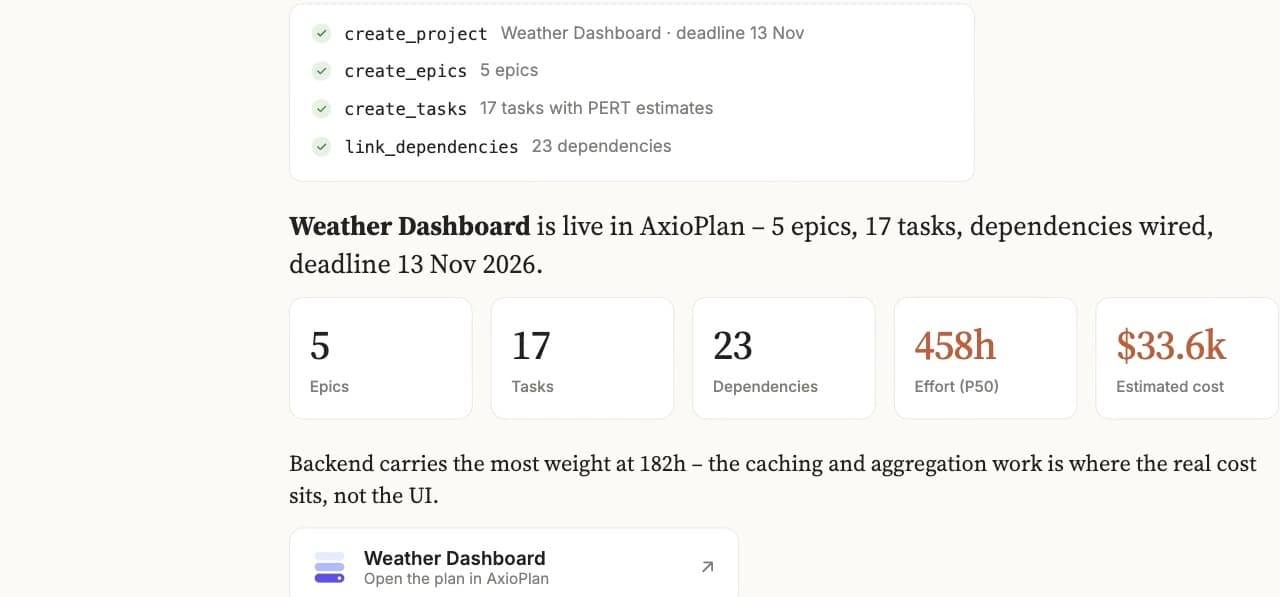
What you can ask Claude to do
Claude handles the conversation; AxioPlan does the scheduling, estimating and staffing. Every answer comes from the live plan, not from Claude's guesswork.
Turn a brief into a project
“Plan a customer portal rebuild: SSO, billing history and a support inbox. Two backend devs, one frontend, one QA. Deadline end of March.”
“Break the mobile app epic into tasks with sizes and risk, and wire the dependencies.”
Question the plan
“What's the P85 delivery date, and what does the project cost?”
“What's on the critical path, and which tasks have no one assigned?”
“If you let it hire as needed, when does the project actually finish?”
Edit it in plain English
“Add a two-week hardening phase before launch and put Ana on it.”
“Push everything after the API work out by a week.”
“Cut the reporting epic. How much earlier do we ship?”
Set up in two minutes
- 1
Add the connector
Copy your connector URL from AxioPlan, then in Claude open Settings → Connectors → Add custom connector and paste it. Works in Claude on the web and Claude Desktop.
- 2
Sign in and pick permissions
Claude opens AxioPlan's consent screen. Choose whether Claude can only read your plans, edit them, or also delete projects. You can revoke access any time.
- 3
Describe the project
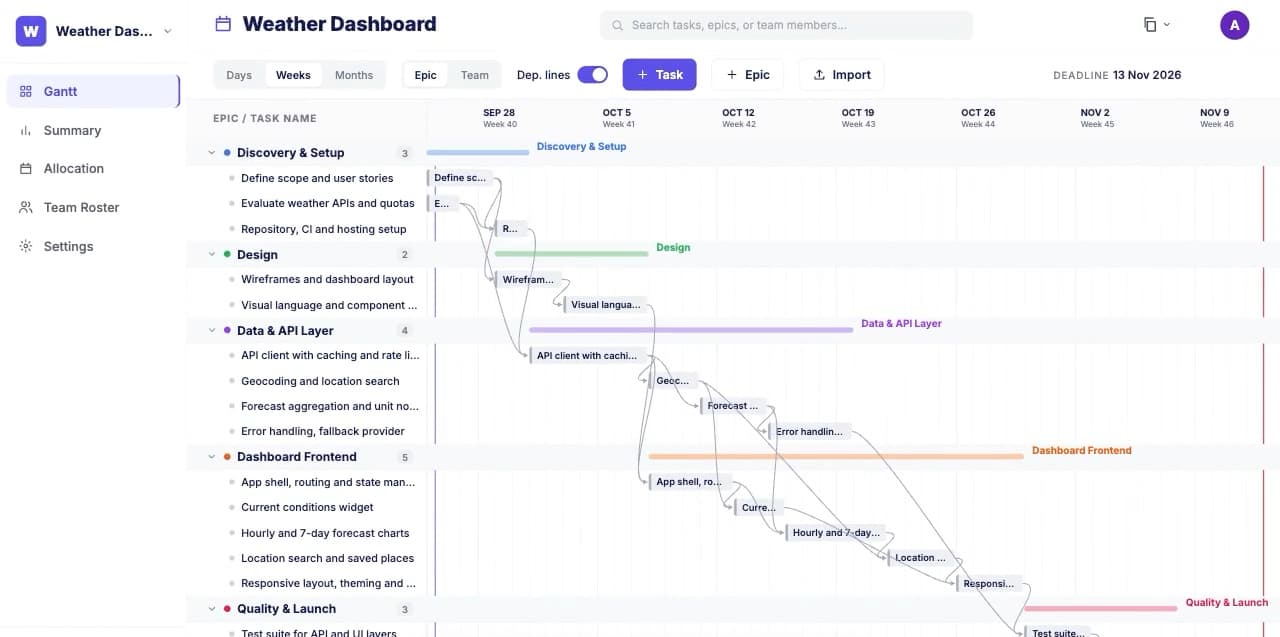
Claude creates the project, epics, estimated tasks and dependencies. The plan lands in AxioPlan with effort, cost and confidence dates already calculated.
- 4
Refine, staff and ship
Keep editing in Claude or on the Gantt chart, let the allocation engine staff it, share a read-only link with a client, and export the plan to Jira.
A project planning MCP server, with permissions you choose
AxioPlan is a remote MCP server secured with OAuth 2.1. Claude gets fifteen tools, grouped into three permission levels you approve when you connect. Every edit runs in a single transaction, so a plan is never left half-changed.
Read
Always on- list_projects
- Your projects and the ones shared with you
- get_project
- Epics, tasks, estimates, dependencies and team
- get_project_summary
- P50/P85/P95 effort and cost, by role
- simulate_allocation
- Timeline, who does what, and suggested hires
Write
On by default- create_project
- Start a project with a deadline
- update_project_settings
- Rename it or change the deadline
- add_tasks / update_tasks / delete_tasks
- Tasks with T-shirt size and risk
- set_task_dependencies
- Link tasks so slips ripple through
- set_task_assignees
- Put people on tasks
- manage_epics
- Add, rename and remove epics
- manage_team
- Roles, hourly rates and team members
- apply_project_changes
- Many edits applied as one change
Admin
Off by default- delete_project
- The one action that can't be undone
Frequently asked questions
Common questions about planning projects with Claude and AxioPlan.